Mali Radios Pro5.7
Publisher Description


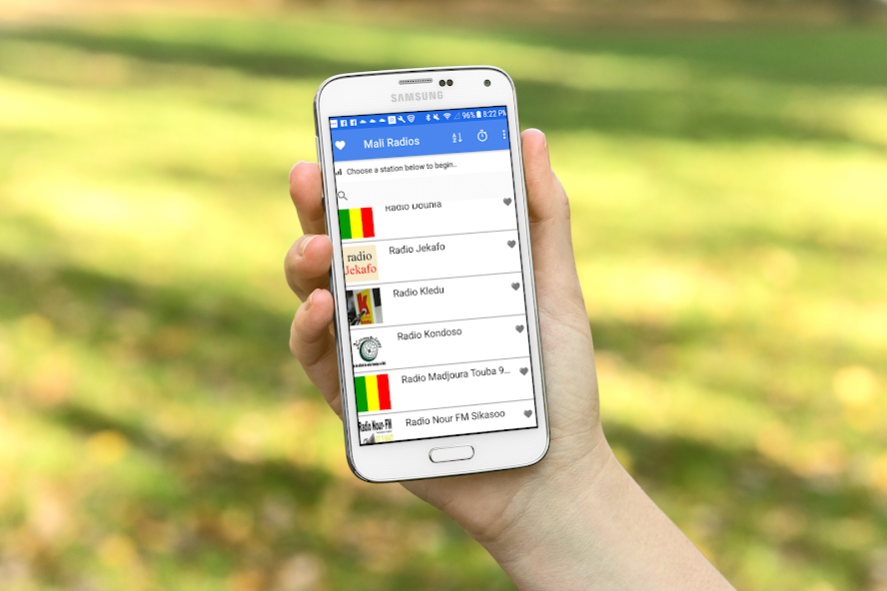

Mali Radios Pro brings best live FM Radios from Mali in one App. Now you can listen to all your favorite Malian Music without the app taking too much space on your phone. Mali radio features:
- Ability to sort your Mali Radio stations in alphabetical order or quickly search from the list of Online Mali radios.
- Create your own favorites list, so you can access your favorite Mali music even easier
- Sleep timer feature to stop the music radio after certain duration
- Background audio feature, so you can continue listening to your favorite Live Mali radio stations when when you close the app
- Cloud database support so you have access to the latest Mali radio stations live regardless of the version of the app you are using.
We customized Mali radios Pro based on all the feedback we have received so far. Best of all we are still keeping Mali Radios pro a free app while providing premium features. We want to make sure you have the best Mali Radio listening experience, and are looking to continually innovate. Please, feel free to get in touch with us if you have any comments.
About Mali Radios Pro
The company that develops Mali Radios Pro is kDuoApps. The latest version released by its developer is 5.7.
To install Mali Radios Pro on your Android device, just click the green Continue To App button above to start the installation process. The app is listed on our website since 2019-07-27 and was downloaded 2 times. We have already checked if the download link is safe, however for your own protection we recommend that you scan the downloaded app with your antivirus. Your antivirus may detect the Mali Radios Pro as malware as malware if the download link to com.maliradios.kduo is broken.
How to install Mali Radios Pro on your Android device:
- Click on the Continue To App button on our website. This will redirect you to Google Play.
- Once the Mali Radios Pro is shown in the Google Play listing of your Android device, you can start its download and installation. Tap on the Install button located below the search bar and to the right of the app icon.
- A pop-up window with the permissions required by Mali Radios Pro will be shown. Click on Accept to continue the process.
- Mali Radios Pro will be downloaded onto your device, displaying a progress. Once the download completes, the installation will start and you'll get a notification after the installation is finished.
Program Details
System requirements
Download information
Pricing
Version History
version 5.7
posted on 2019-07-27
Layout changes . you can now request your radio station directly through the app and provide the info.
